Skip to content

RELEASE NOTES

What’s new on every screen.

Every update to PlatPlay Studio, PlatPlay Pixel, Room Manager, PlatPlay Box and PlatPlay Players, newest first: what changed, and what it means on your screens.

All releases

Every release, newest first.

  1. PlatPlay Studio

    Version 4.12

    Schedules that follow each screen’s own time zone

    Networks that span cities no longer need a schedule per region. Studio now plays every slot in the time zone of the screen it runs on, and publishes to large networks in half the time.
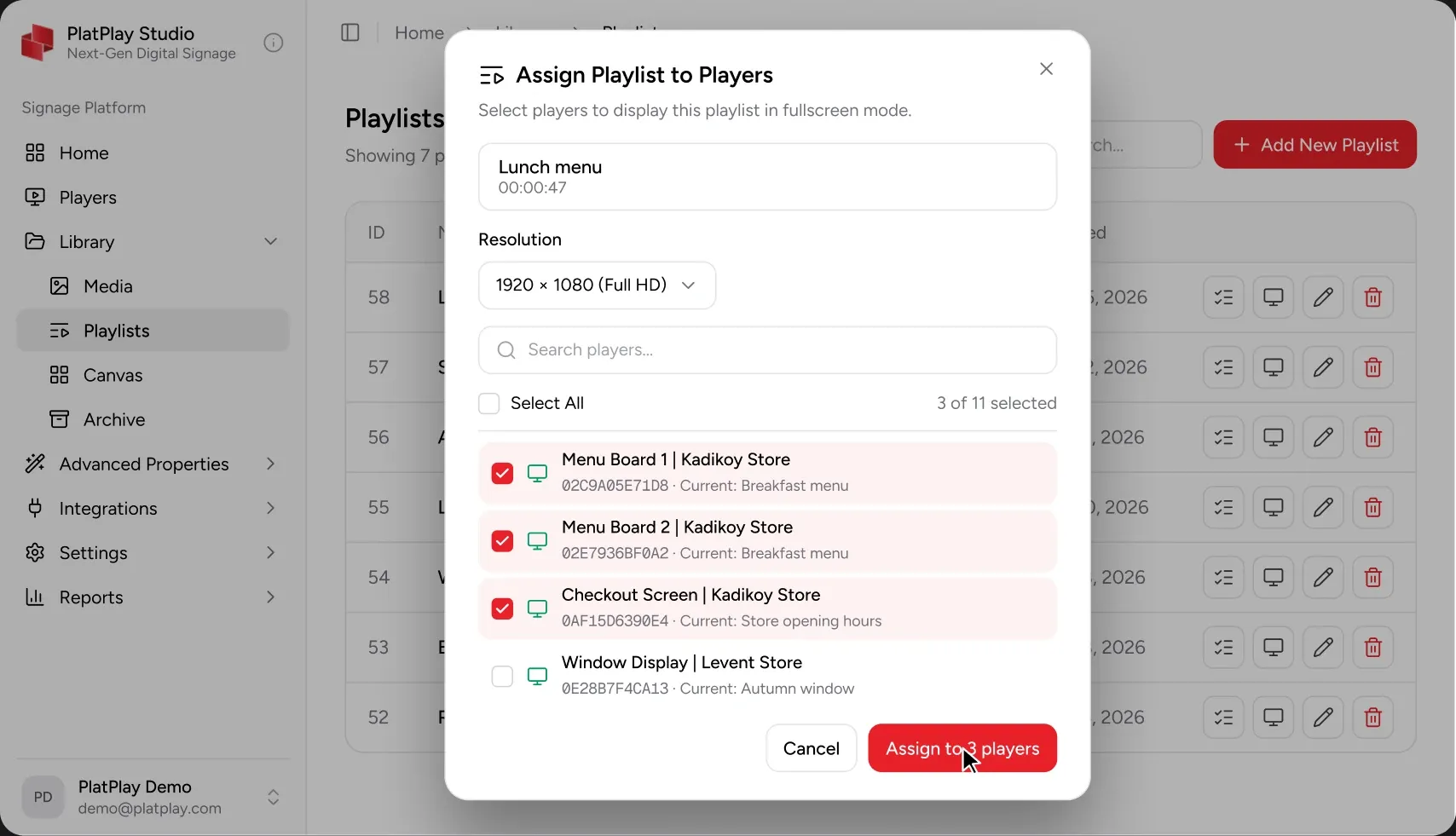
    Publishing to screens in PlatPlay Studio

    New 2

    • Per-screen time zones: a slot set for 09:00 starts at 09:00 local time on every screen in the schedule.
    • Daypart templates for breakfast, lunch and evening menus, ready to copy across locations.

    Improved 2

    • Publishing to 500 screens or more is about twice as fast, with progress shown per screen group.
    • The playlist editor keeps your place when you switch between screens.

    Fixed 2

    • Scheduled content no longer skips a slot on the day the clocks change.
    • Thumbnails of portrait videos are no longer cropped in the media library.
  2. Room Manager

    Version 3.4

    Check in at the door, free up rooms nobody uses

    Booked rooms that stay empty are the most common complaint we hear. Panels can now ask for a check-in, and give the room back to everyone when nobody turns up.

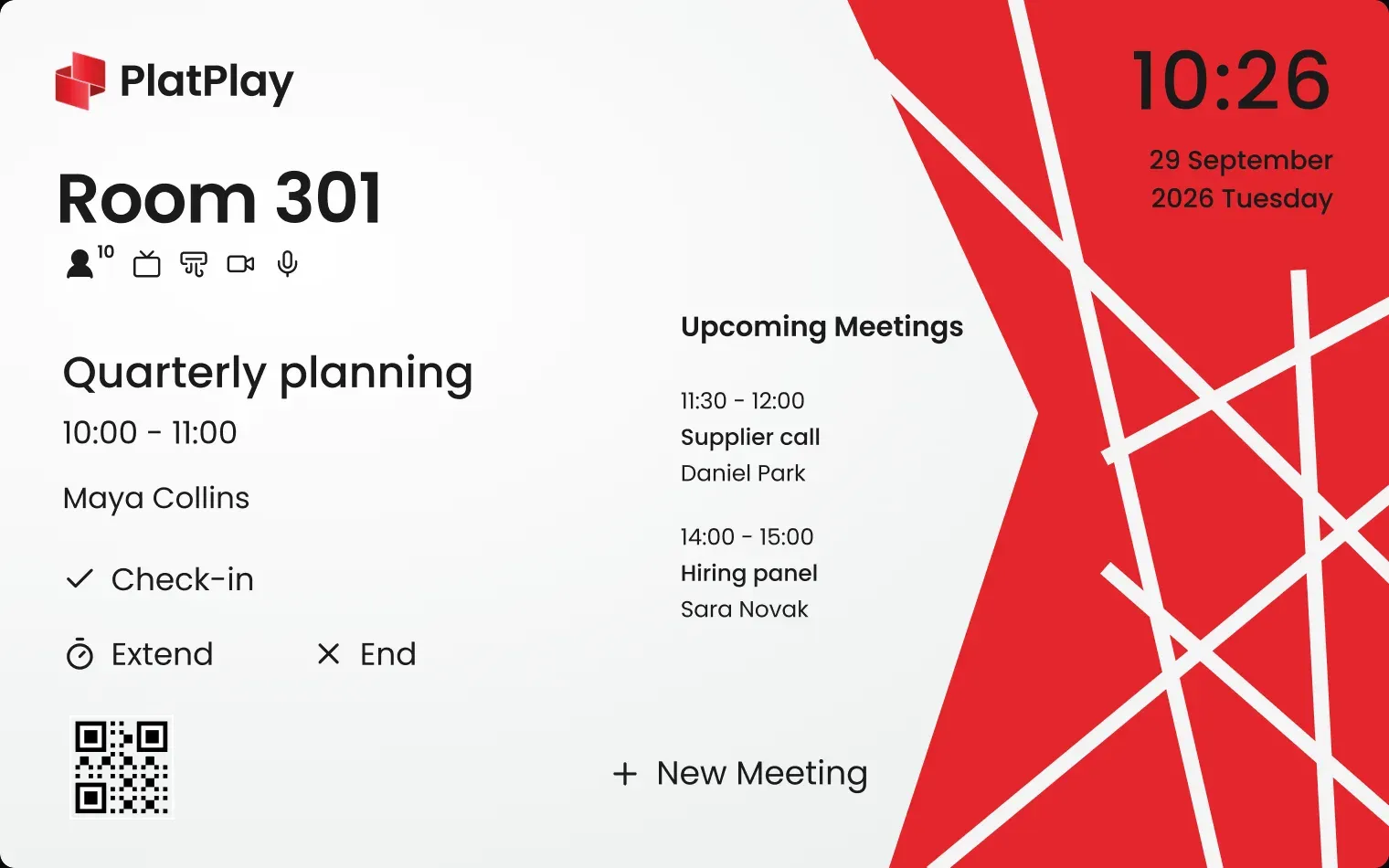
    Room 301’s door panel during Quarterly planning, 10:00 to 11:00 with Maya Collins: Check-in, Extend and End, the upcoming meetings and the clock at 10:26, beside a red pattern

    New 2

    • Check-in on the panel: a booking is released if nobody checks in within 10 minutes. You choose the grace period per room.
    • Book the next free slot straight from the panel, without signing in.

    Improved 2

    • Panels show the organiser’s name only when the meeting is not marked private.
    • Availability changes on the panel within 5 seconds of a calendar update.

    Fixed 1

    • Recurring meetings moved in Outlook no longer show twice on the panel.
  3. PlatPlay Box

    Version 2.8

    Faster starts, and a restart button in Studio

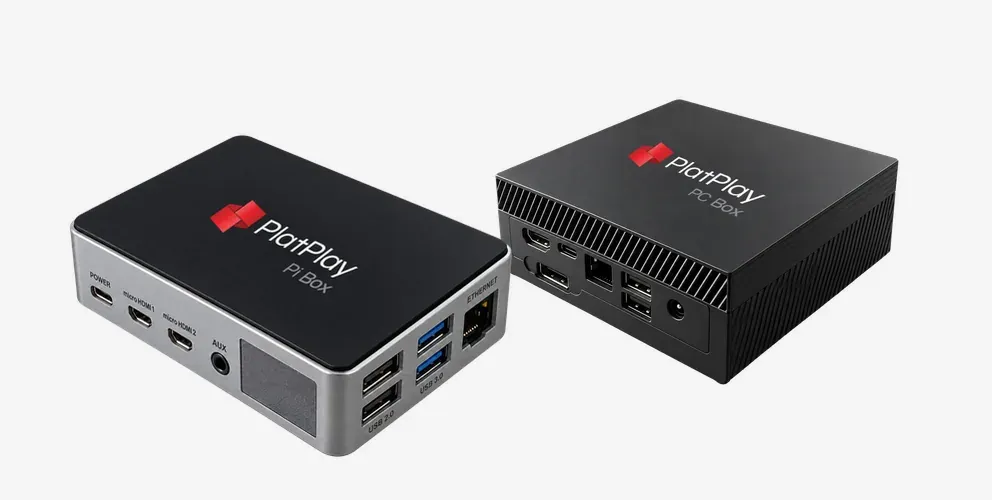
    Box OS 2.8 is about the morning after a power cut. Players come back sooner, keep playing offline for as long as they need to, and can be restarted from Studio without a site visit.

    PlatPlay Pi Box and PlatPlay PC Box side by side

    New 2

    • Restart a Box remotely from its screen page in Studio.
    • Wi-Fi setup from a USB stick, for sites without a keyboard or mouse.

    Improved 2

    • PC Box starts playing about 40% sooner after power returns.
    • Pi Box keeps its last playlist on its own storage through a network outage of any length.

    Fixed 2

    • HDMI-CEC no longer turns the screen on outside its opening hours.
    • Pi Box no longer drops to 30 frames a second on high-bitrate 4K videos.
  4. PlatPlay Pixel

    Version 5.6

    Layouts that know your LED wall’s pixel pitch

    Tell Pixel how a wall is built and it does the maths: every layout is fitted to the wall’s exact resolution, so text stays sharp and nothing is cut off at the edges.

    A grid of small red and grey screens forming a wave

    New 2

    • Enter a wall’s cabinet count and pixel pitch, and Pixel fits every layout to its exact resolution.
    • Emergency messages can now go to one wall or to every wall in a building.

    Improved 1

    • AutoForm reflows text for walls narrower than 512 pixels.

    Fixed 2

    • Colour banding on dark gradients on 2.5 mm walls.
    • A playlist with a single item no longer restarts with a black frame.
  5. PlatPlay Players

    Version 1.9

    Samsung Tizen 8 and LG webOS 24 join the list

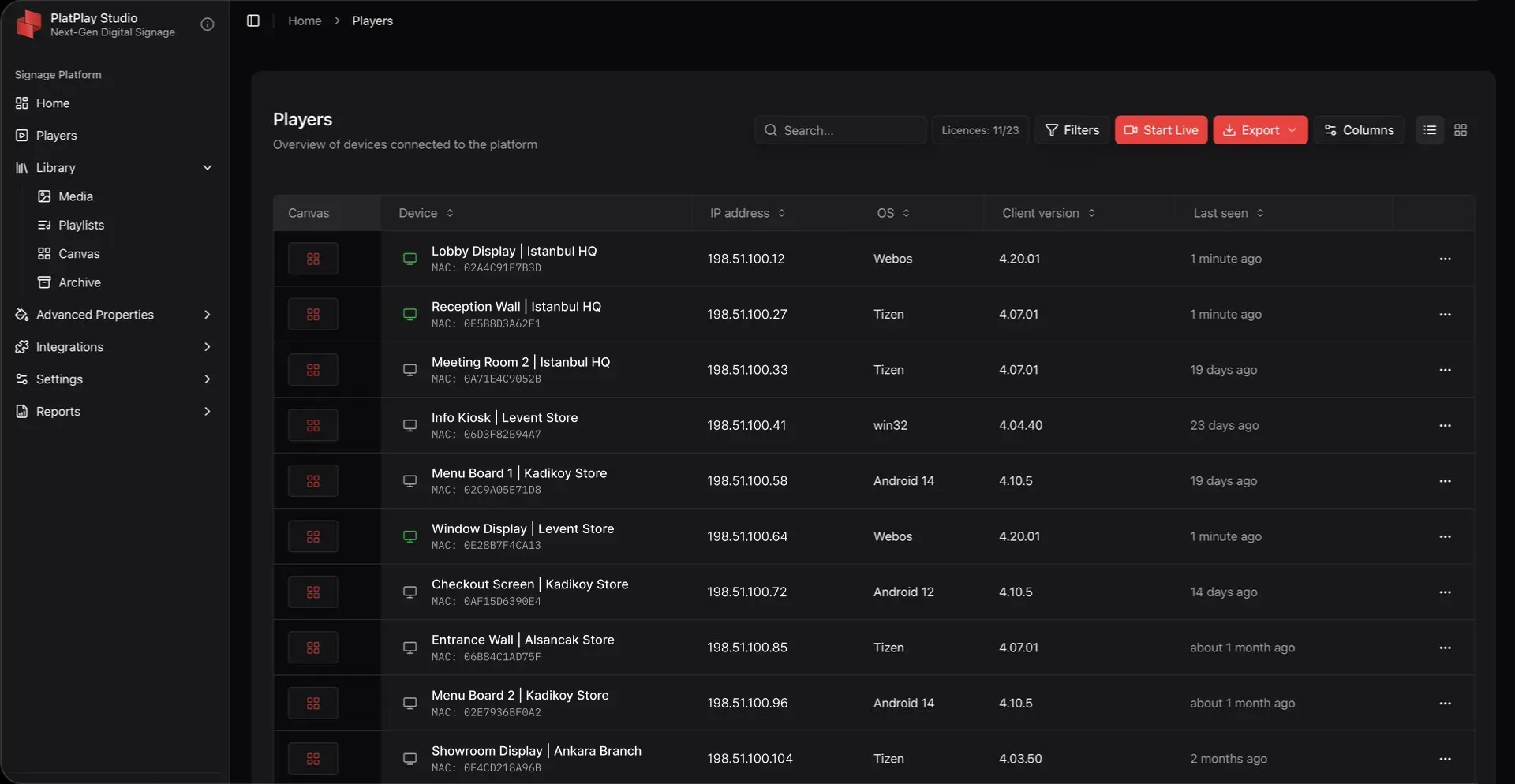
    The SoC player now runs on this year’s professional displays from Samsung and LG, so new screens need no media player behind them.

    PlatPlay Studio’s Players list: each player’s name, IP address and MAC address

    New 2

    • Support for Samsung Tizen 8 displays, including the 2025 QMC and QBC series.
    • Support for LG webOS 24 signage displays.

    Improved 2

    • Android players report their free storage and temperature to Studio every minute.
    • Windows players install updates overnight, outside opening hours.

    Fixed 1

    • Videos on webOS 6 no longer stutter at the loop point.
  6. PlatPlay Studio

    Version 4.11

    Approvals before anything goes live

    For teams where more than one person edits content: changes can now wait for a reviewer before they reach a single screen.

    New 2

    • Approval steps: an editor’s change waits for a reviewer before it is published.
    • Comments on any item in a playlist, with @mentions sent by e-mail.

    Improved 1

    • The activity log shows who published what, and to which screens, for 12 months.

    Fixed 1

    • Media library search finds files by their original name after a rename.
  7. Room Manager

    Version 3.3

    Microsoft 365 room lists, in sync

    Setting up a building’s rooms used to mean typing them in one by one. Now they come straight from your calendar.

    New 1

    • Import rooms from Microsoft 365 room lists, with their capacity and floor.

    Improved 1

    • Google Workspace calendars sync every minute instead of every five.

    Fixed 1

    • Panels in a time zone ahead of the server no longer show tomorrow’s meetings as today’s.

Book a demo on your own screen model.

Tell us what you want to show and where. We’ll show Studio running it.